How It Works
Live in one working session.
Running automatically after that.
Pulse is not a multi-month implementation project. You connect your existing systems, configure your workflows, do a team walkthrough, and you're live before the end of the day. Here's exactly what it looks like — for schools and for business and nonprofit teams.
We connect your SIS.
PowerSchool, Infinite Campus, Skyward — Pulse connects via secure API. Your student roster populates automatically. No CSV uploads. No manual entry.
We configure your workflows.
You tell us who handles what concern type. We set up the routing rules: when a teacher flags a behavioral concern, who gets the alert. When a counselor flags a mental health concern, who gets notified. Every workflow, configured to your staff structure.
We load your resource library.
Existing resources — guides, courses, provider contacts — get imported into Pulse. We set up the matching rules so Pulse knows which resource to surface for which concern type.
Your team gets a live walkthrough.
Teachers, counselors, and administrators see exactly how to use Pulse in their role. 30 minutes. We cover the scenarios most relevant to your school year.
Teachers / Frontline staff
- Flag a concern by voice note. Under 60 seconds. From anywhere.
- Receive confirmation that the concern was received and routed.
- See resources assigned to students in their class or caseload.
Counselors / Specialists
- Receive routed concerns with full context and one-click assignment.
- Assign resources from the matched suggestions. Log actions taken.
- Close the loop. The system confirms resolution to the person who flagged.
Principals / Administrators
- Check the live dashboard. See who needs attention today and what's already been done.
- Spot patterns across classrooms, grade levels, and concern types.
- Review open concerns that have exceeded their response time threshold.
At the end of each period, Pulse generates a clean summary of every concern flagged, every intervention completed, every resource accessed, and every loop closed. The MTSS/RTI documentation your district requires. The board report your principal needs. The compliance evidence your data officer asks for. All auto-generated. All already there.
See Progress Tracking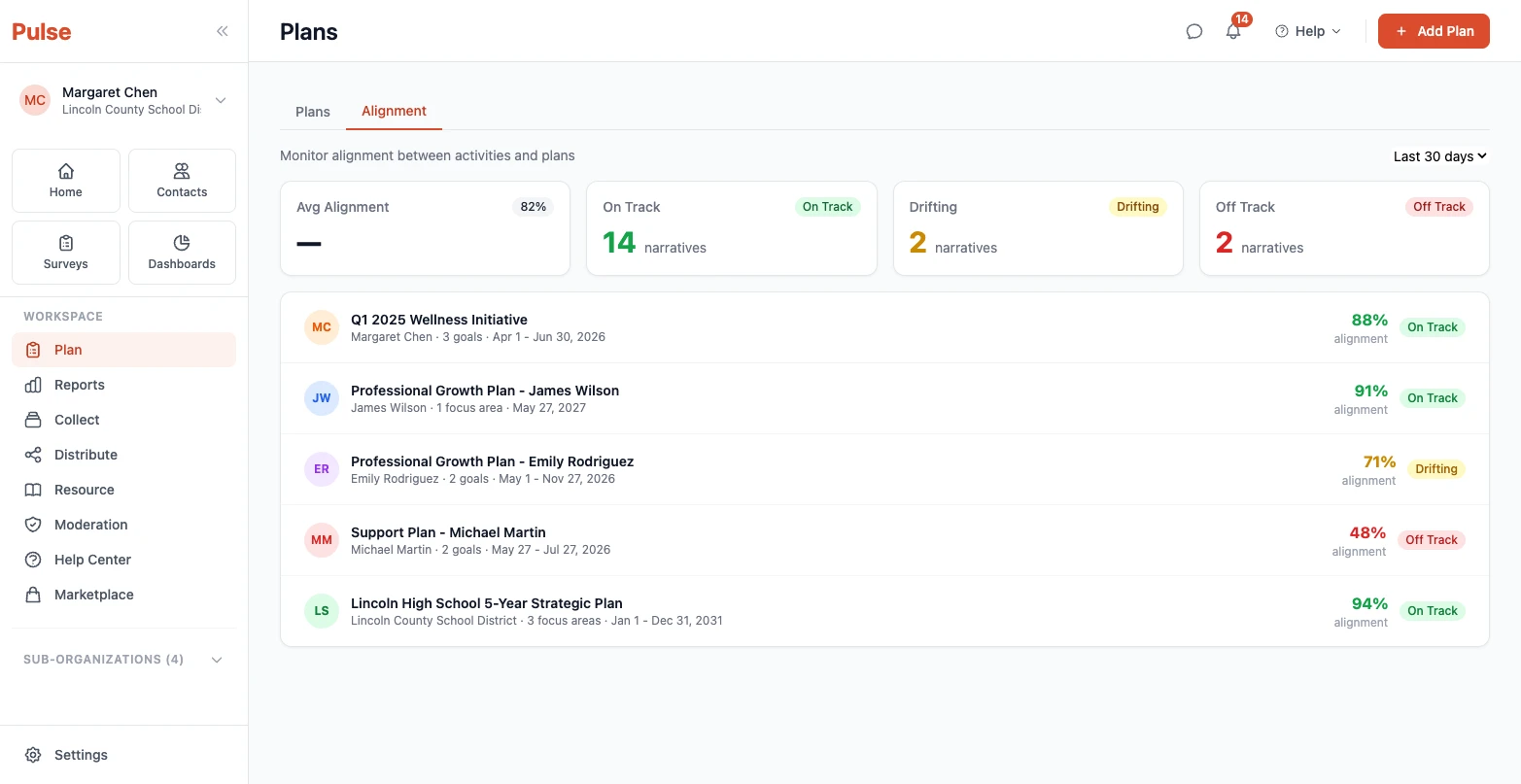
We connect your HRIS or existing systems.
ADP, BambooHR, Workday, or a custom system. Your team roster populates automatically. Google Workspace or Microsoft 365 for authentication. No new credentials for your team to manage.
We configure your workflows.
You define concern types that matter to your organization — operational risks, team concerns, HR matters, client flags. We configure who gets each type routed to them. Automatic escalation after configurable time thresholds.
We load your support resources.
Training materials, guides, professional development content, service providers, and external resources — loaded into Pulse with matching rules. The right resource surfaces for the right concern type without anyone having to search for it.
Your team sees their role in 30 minutes.
Frontline team members, managers, and leaders each get a walkthrough of exactly what they see and how they use Pulse. Tailored to your org chart and workflows.
Team members
- Flag a concern by voice. Under 60 seconds. No form to fill out.
- Receive confirmation that the concern was received and acted on.
- Access resources assigned specifically to them.
Managers / HR
- Receive routed concerns with full context. One-click assignment to resources or specialists.
- Log actions taken. Track to resolution. Close the loop automatically.
- View intervention history for every team member over time.
Leaders / Chiefs of Staff
- Check the live dashboard. See who needs attention today and what's in progress.
- Spot patterns across teams, departments, and concern types.
- Generate board or executive reports from the dashboard, automatically.
At the end of each period, Pulse generates a clean summary of what was flagged, what was acted on, and how fast the loops closed. For your board, your funders, your leadership team, or your HR documentation requirements. Not assembled before the meeting. Already there.
See Progress Tracking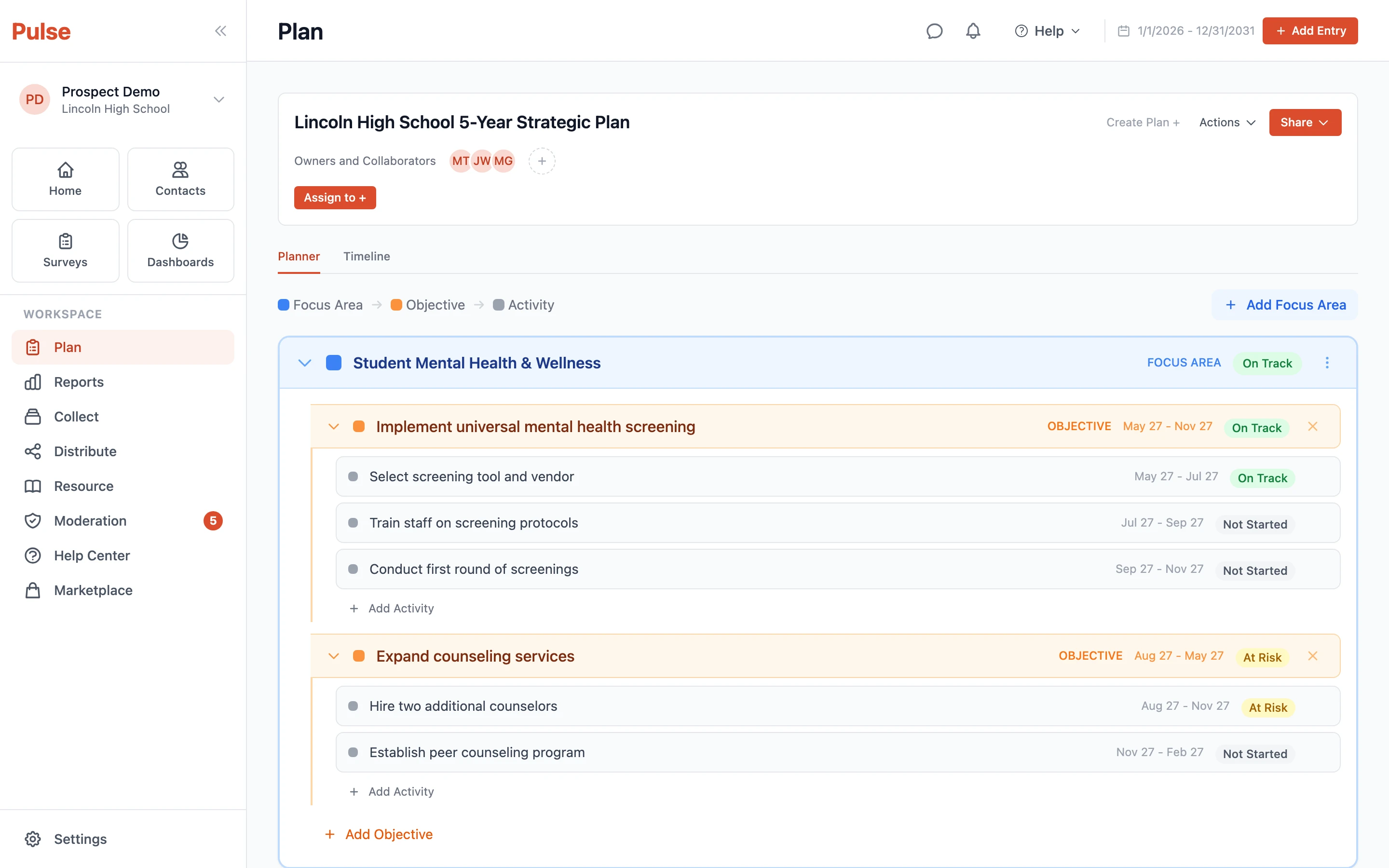
What Pulse replaces
Not because it's better. Because it's connected.
Email chains for concern handoffs
Routed automatically. Tracked to close.
Spreadsheets for intervention tracking
Longitudinal record. Built automatically.
Forms that take 8 to 12 minutes
Voice note. Under 60 seconds. Always filed.
Manual report assembly before every meeting
Auto-generated. Ready before you ask.
See your organization's flow in 30 minutes.
We'll walk through setup, daily use, and what the reporting looks like for your specific team size and structure.
Book a Meeting